
// Business systems & ERP
Odoo & ERP
Keep sales, stock and accounts working together.
Discuss what you want to improve and whether we can help. No technical brief needed.
// Inside Odoo
Dashboards / CRM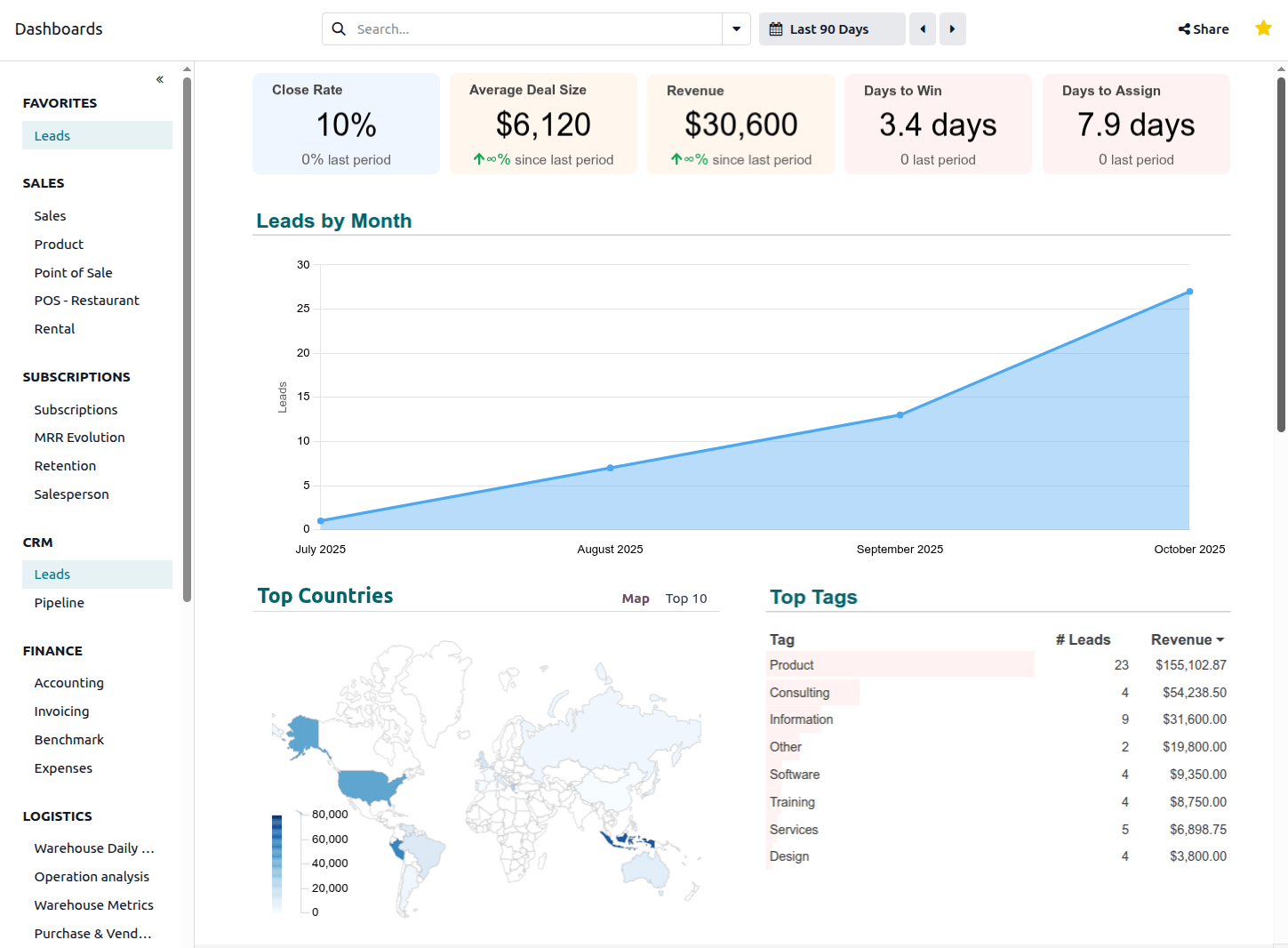
Odoo 19 interface · product example
See the information your team can bring together in Odoo. Select the image to view it at full size.
Screenshot: Odoo documentation · CC BY-SA 4.0. Unmodified.
// The work
What this can change
A clearer view of the work behind every order.
When sales, stock and accounts sit in separate systems, your team spends time checking figures and copying updates. Odoo can bring that work together. We configure it around how your business operates, from a customer enquiry through purchasing, delivery and invoicing.
Start with the process that is causing the most friction. We review your current tools and data, choose the modules you need and agree what should stay standard before considering custom development. Existing systems can remain where a connection is the better option.
Moving systems also means helping people change how they work. The scope covers data migration, testing, training, the move to the new system and support after launch. A trial migration gives your team a chance to check records and balances before the switch.
// Inside the service
What we deliver
Connect the parts of your operation
Configure Sales, Inventory, Purchase, Accounting, Manufacturing and CRM around your agreed processes. Start with the modules you need and define how information should pass between teams.
Move your data with checks along the way
Plan the transfer of customers, suppliers, products, stock, open orders and balances from tools such as Sage, Xero or QuickBooks. Reconcile a trial import before agreeing the final move.
Adapt the parts that need to work differently
Use standard Odoo features where they fit. Where custom modules are needed, document the change and use Odoo extension points so future upgrades can be assessed and tested.
Keep orders and stock moving between tools
Connect Odoo to your storefront, payment provider or courier where supported. Agree which system owns each record and how updates, duplicate events and failed transfers are handled.
Prepare your team for launch and support
Agree hosting, user training, backups, monitoring and support responsibilities as part of the project. Odoo.sh and self-hosted deployments are options, with upgrades planned around your setup.
What would you like to improve?
Tell us what is getting in your way, what you use today and what you want to change.
// Related services
What else we build
Run the business on one system
Systems Integration
Stop copying the same information between business tools.
Learn moreRun the business on one system
Digital Transformation
Make the next technology investment solve a real business problem.
Learn moreRun the business on one system
Managed Support & Service Level Agreements
Keep the systems your business relies on looked after.
Learn more